IRIS - NASA SUITS Challenge 2024
A mixed reality astronaut interface system designed for the NASA SUITS Challenge, helping astronauts complete mission-critical tasks through an augmented reality heads-up display and a supporting mission control platform.
Student Organization
Collaborative Lab for Advancing Work in Space (CLAWS)
Role
UX Design Team Lead
Timeline
October 2023 —— May 2024
Platforms
Microsoft HoloLens 2 and Web
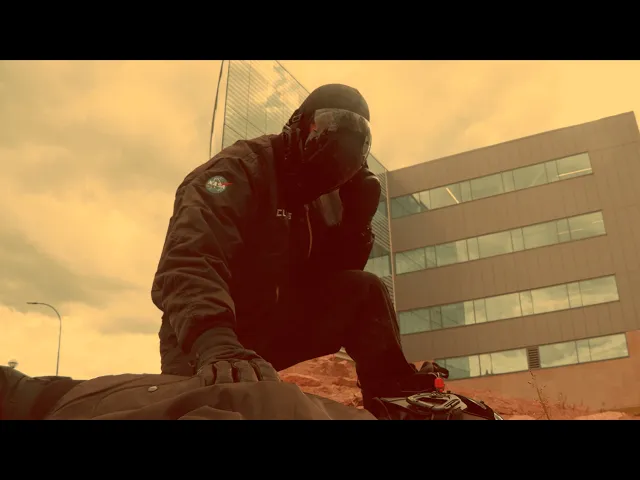
Final project video submitted to NASA
Overview
/ 1
The Project
IRIS was a mixed reality astronaut assistance system created for the 2024 NASA SUITS (Spacesuit User Interface Technologies for Students) Challenge.
The 2024 challenge asked university teams to design augmented reality interfaces for future planetary exploration missions. Teams were required to create both an astronaut heads-up display and a Local Mission Control Center (LMCC) interface capable of supporting navigation, communication, science collection, and mission coordination during simulated Mars exploration tasks.
The project was developed by CLAWS, a 90-member multidisciplinary student organization at the University of Michigan. The team included contributors across AR development, web development, AI, hardware, research, business, content, and UX design.
As the UX Design Team Lead, I managed a 12-member design team and helped guide the full product design process across both the astronaut and mission control experiences. The work culminated in a final evaluation and live testing session at NASA’s Johnson Space Center in Houston.
After the successful completion of the project, I was chosen to serve as the entire team's President and Project Manager for the following school year.
Project Proposal
Before development began, the team was required to submit a formal proposal to NASA outlining the project vision, technical feasibility, mission workflows, research approach, and implementation strategy for the SUITS Challenge.
I wrote large portions of this proposal, helping define the project direction, UX strategy, and interaction concepts that shaped the final system.
The proposal was used by NASA to evaluate each team’s technical vision, implementation strategy, and understanding of astronaut mission needs, requiring teams to clearly communicate both ambitious concepts and realistic execution plans. CLAWS was one of ten teams selected for the 2024 challenge.
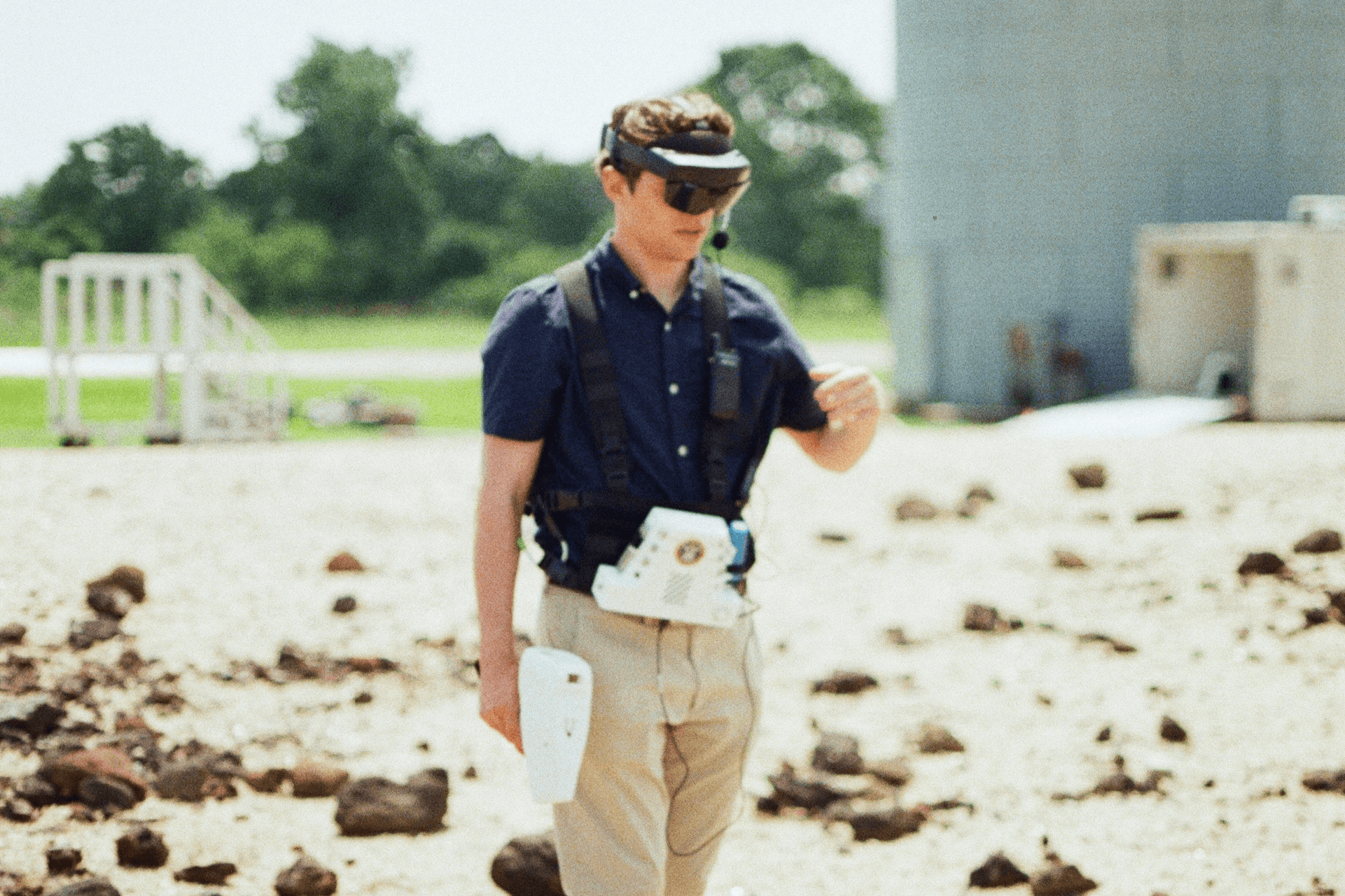
NASA evaluator testing the IRIS interface during a simulated rock sample collection task
Design Objectives
Design an intuitive astronaut heads-up display for mission-critical tasks
Reduce cognitive load and maximize safety during high-pressure exploration scenarios
Create a cohesive design system across AR and web interfaces
Support both voice and touch-based interactions
Ensure interfaces were feasible for real-world implementation
My Role
I led the UX design process across the full project lifecycle.
Managed and mentored a 12-member UX design team
Wrote large portions of the proposal submitted to NASA for admission into the challenge
Iterated on design systems to define interface structure, workflows, and interaction patterns
Designed interfaces in Figma for both AR and web platforms
Collaborated closely with AR, web, and AI developers
Coordinated with NASA evaluators on project requirements and testing limitations
Led usability testing preparation and evaluation support
Presented and tested the final product at NASA Johnson Space Center
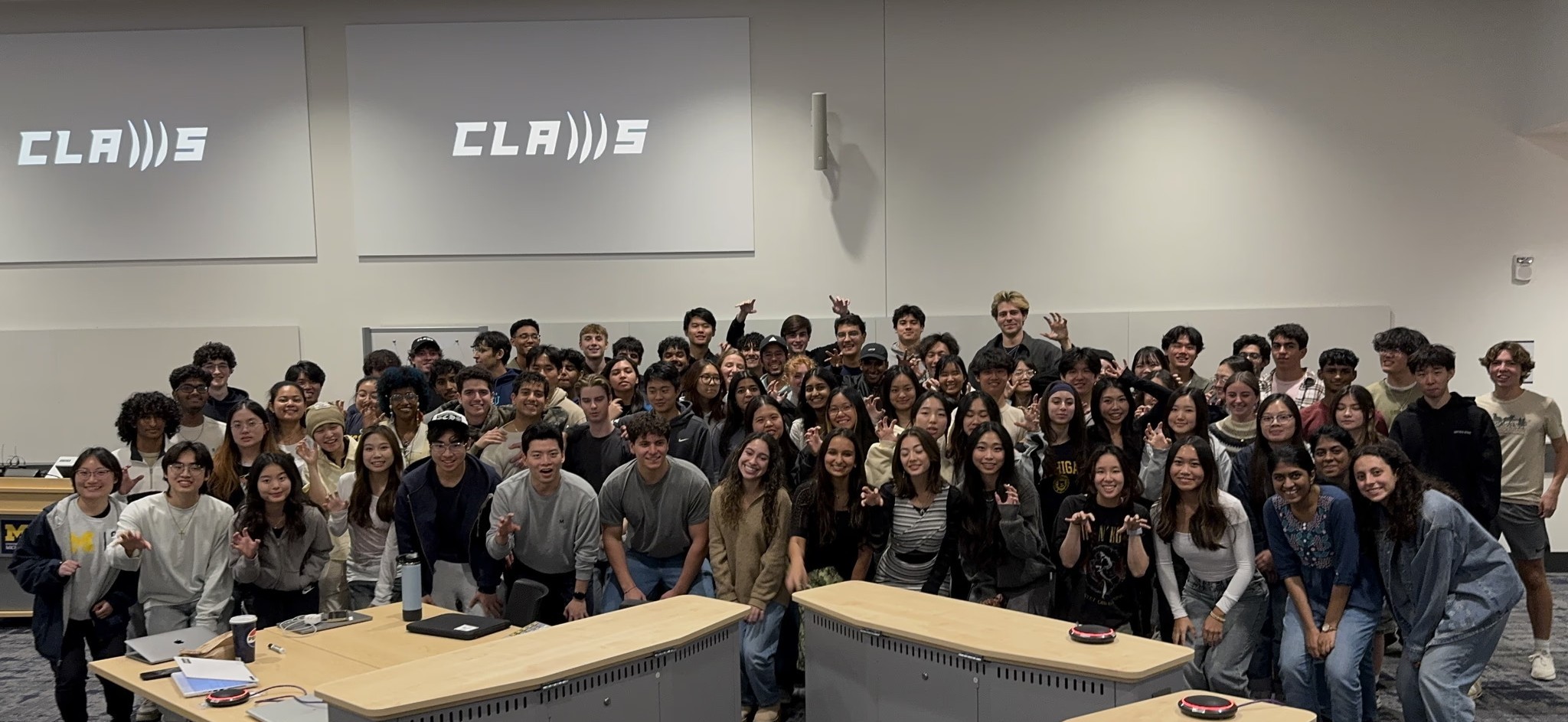
CLAWS Team
Research
/ 2
NASA Documentation and Meetings
NASA provided teams with a mission description, technical requirements, scoring criteria, and supplementary documentation outlining expected astronaut workflows and operational constraints.
Throughout the challenge, the team also participated in monthly calls with NASA engineers and challenge coordinators, allowing us to ask questions directly about mission procedures, evaluation priorities, and implementation expectations. These conversations helped ground the interface decisions in realistic astronaut workflows rather than speculative interaction concepts.
Astronaut Interviews
The team reviewed astronaut interviews and research materials discussing cognitive load, multitasking, navigation, communication, and tool usage during exploration tasks. Several astronaut interviews had been conducted directly by CLAWS members during previous years of the NASA SUITS Challenge.
Many astronauts emphasized the importance of unobstructed environmental visibility, glanceable information, and interaction systems that remained usable while handling equipment.
Analyzing Previous Applications
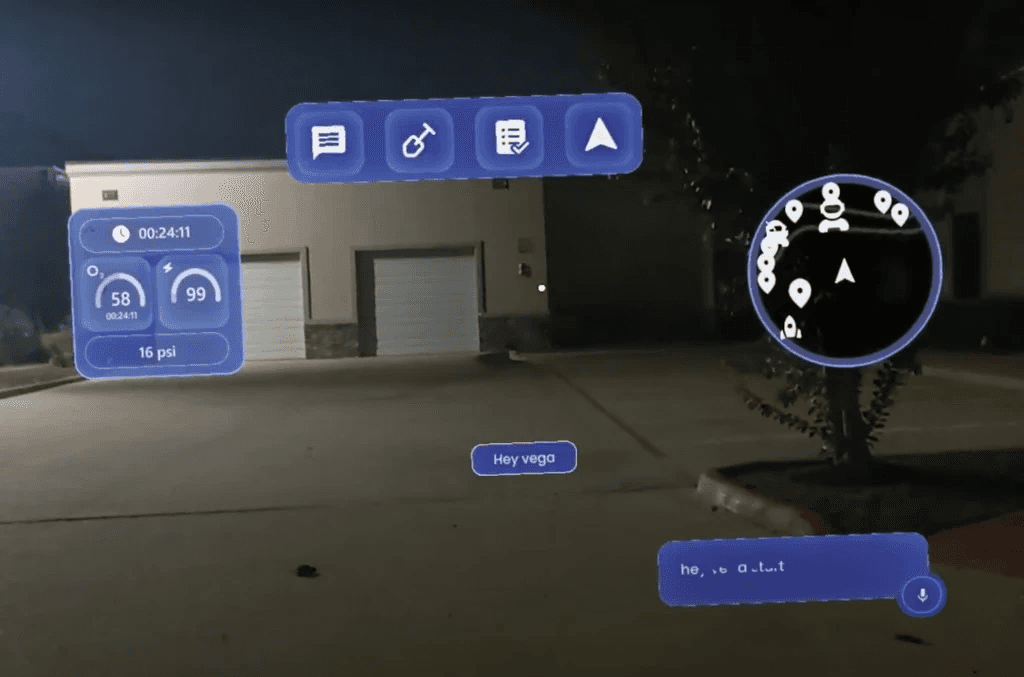
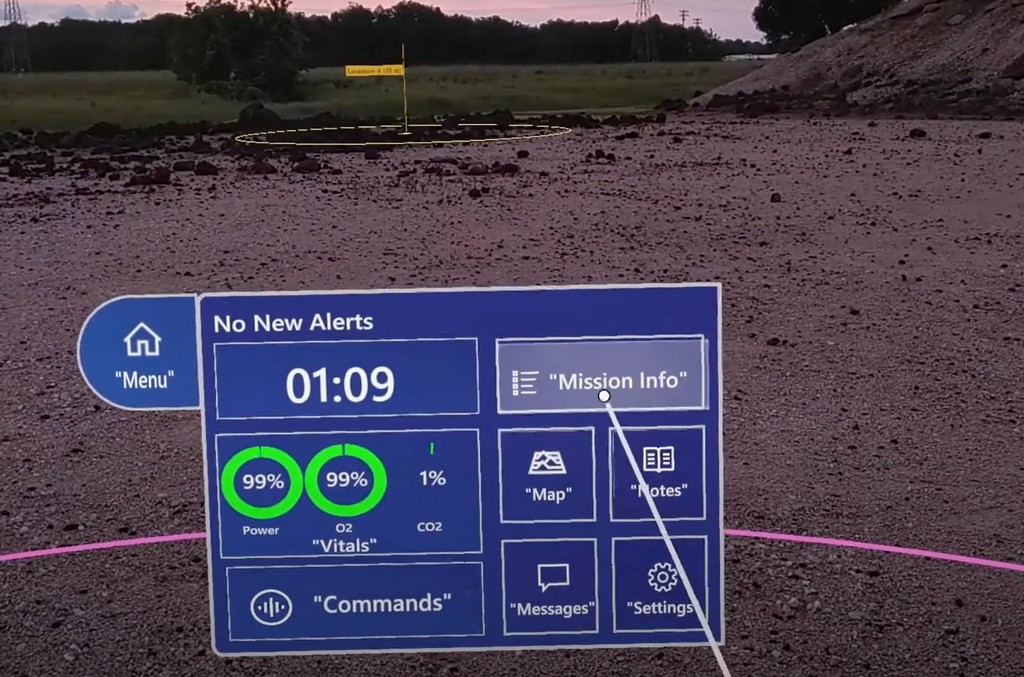
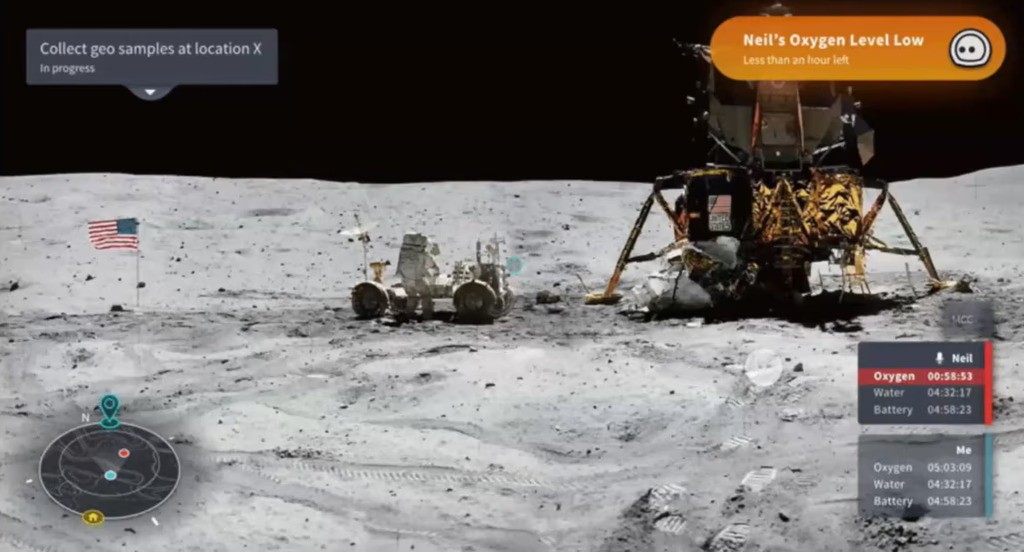
The team looked at SUITS Challenge application designs from previous years that were created by CLAWS and teams from several other universities. This process allowed us to find common design approaches and issues after conducting heuristic evaluations and analyzing feedback from testing.
Findings:
Direct touch control is the quickest interaction system, but it cannot be used when astronauts’ hands are full
A voice control guide listing potential commands was helpful during previous years’ rock yard testing
Provide astronauts with multiple, redundant interaction methods, especially touch and voice control
Vitals data visualizations should remain organized and easy to understand at a glance
Testers preferred unobstructed views of the surrounding terrain for safer navigation
A mini-map helped astronauts maintain awareness of nearby waypoints and companions
Operational Constraints
Research consistently highlighted the operational constraints astronauts face during exploration tasks, many of which directly shaped the structure and interaction model of IRIS.
Key constraints included:
Astronauts frequently multitask while using tools and equipment
AR interfaces occupy a limited field of view due to the headset display technology
Environmental conditions increase cognitive fatigue
Input systems must remain usable even during tracking failure
Mission data must remain readable in dynamic lighting conditions
Information overload could negatively impact astronaut safety
These findings influenced the project’s approach to navigation, information hierarchy, and interaction design.
Interaction Strategy
The team researched mixed reality interaction systems, HoloLens capabilities, and prior testing results to better understand how astronauts could effectively interact with spatial interfaces during exploration tasks.
Testing and research consistently reinforced several key findings:
Direct touch interaction is fast and intuitive for nearby controls
Voice interaction is essential while astronauts are using tools
Large floating menus create distraction and spatial clutter
Persistent information should remain compact and glanceable
Based on these findings, along with hardware limitations and environmental constraints, the team selected direct touch and voice control as the primary interaction systems.
Direct Touch
Direct touch interaction was designed for fast, intuitive manipulation of nearby interface elements using hand tracking and gesture controls.
Elements designed with large touch targets, meeting HoloLens requirements
Clear visual feedback for interaction states
Minimal menu depth reduced interaction friction
Consistent spacing and hierarchy improved learnability
Voice Control
The application also included VEGA (Voice Entity for Guiding Astronauts), an AI-powered voice assistant designed to support hands-free interaction during mission tasks.
Enabled interaction while astronauts were using hand tools
Visible command labels improved discoverability
Worked alongside touch controls as a redundant interaction system
Allowed astronauts to quickly access deeper interface functions through single voice commands
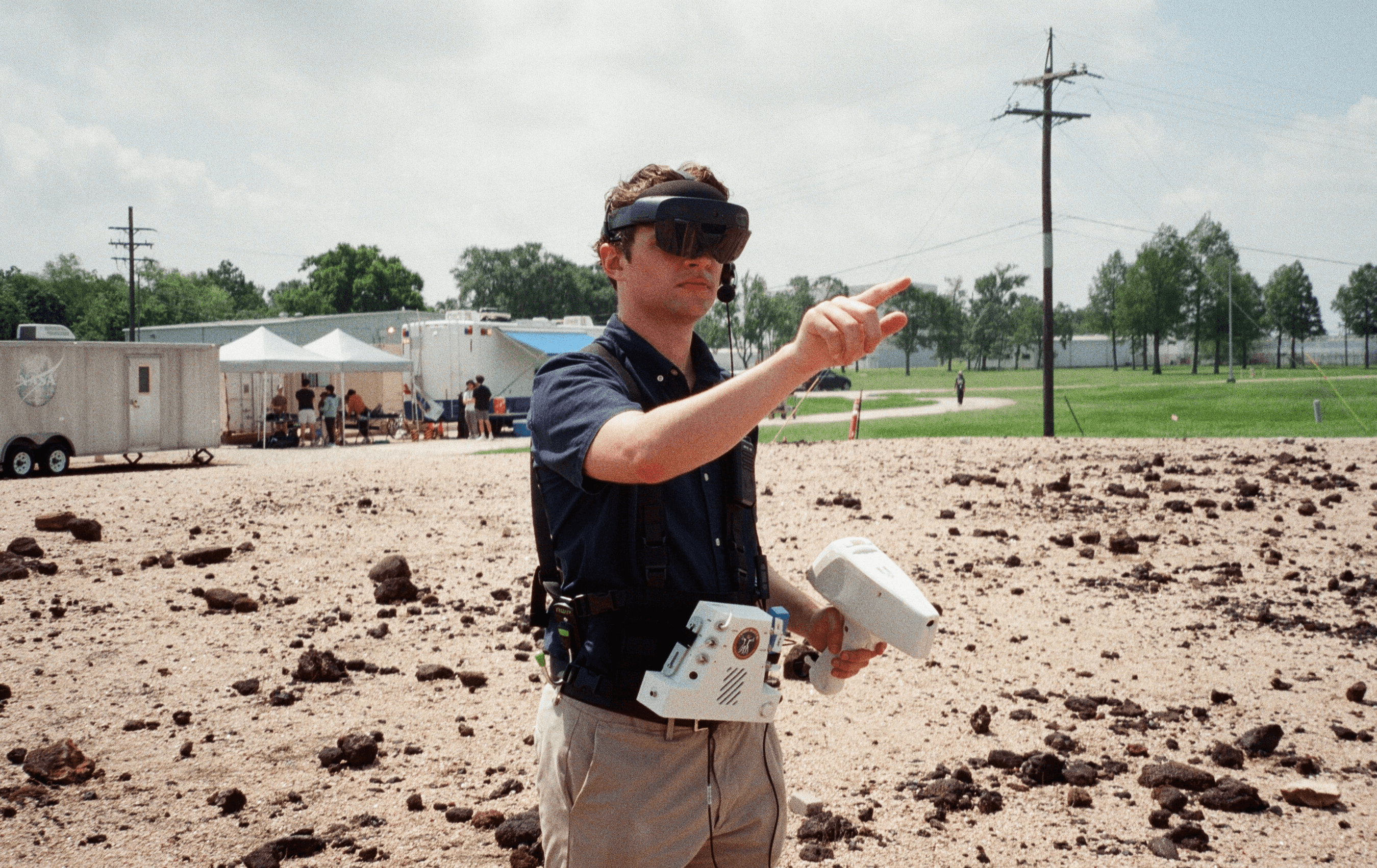
Interacting with holographic controls designed for quick, within-reach touch input.
Final Design
/ 3
AR System Overview
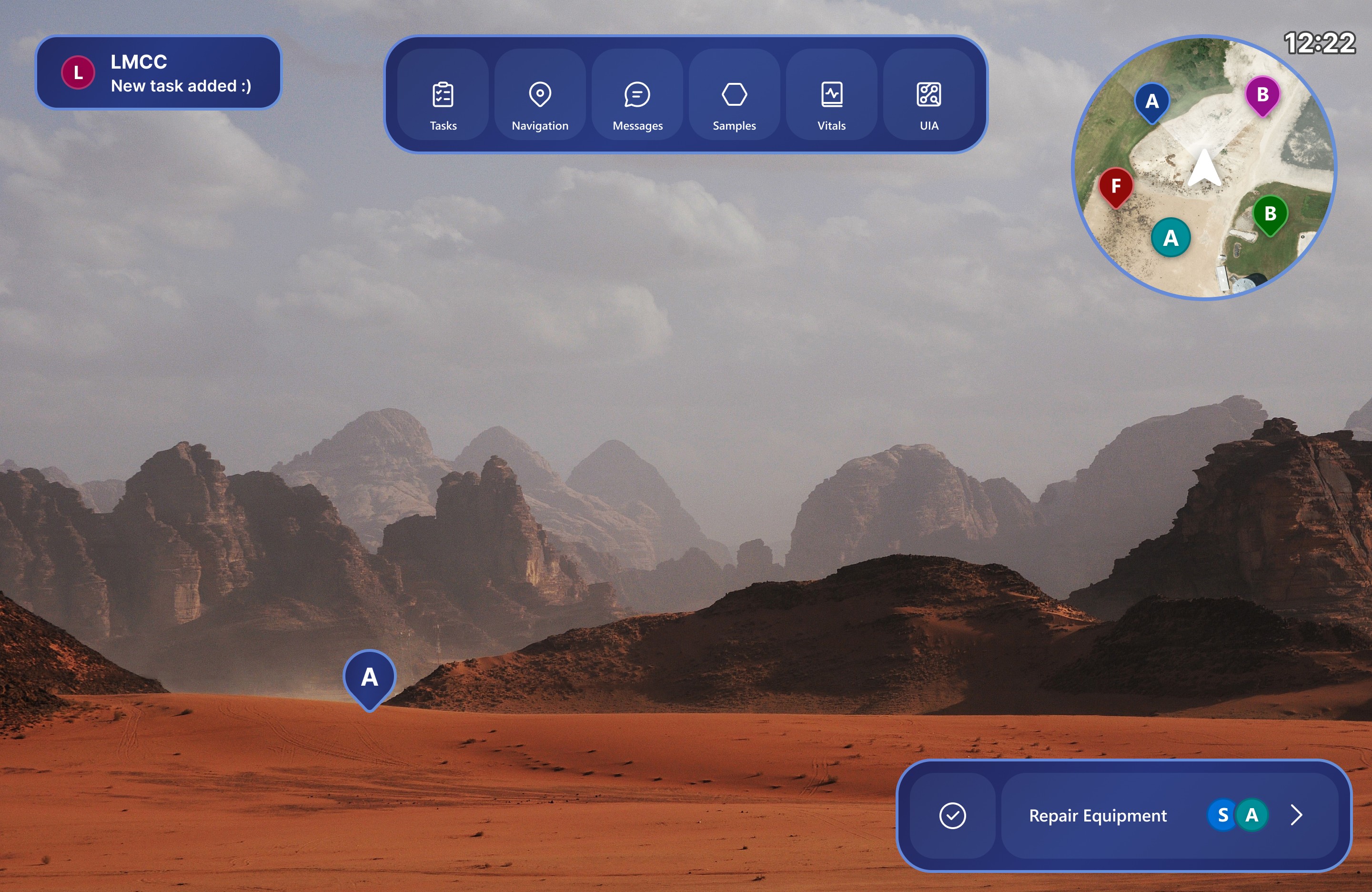
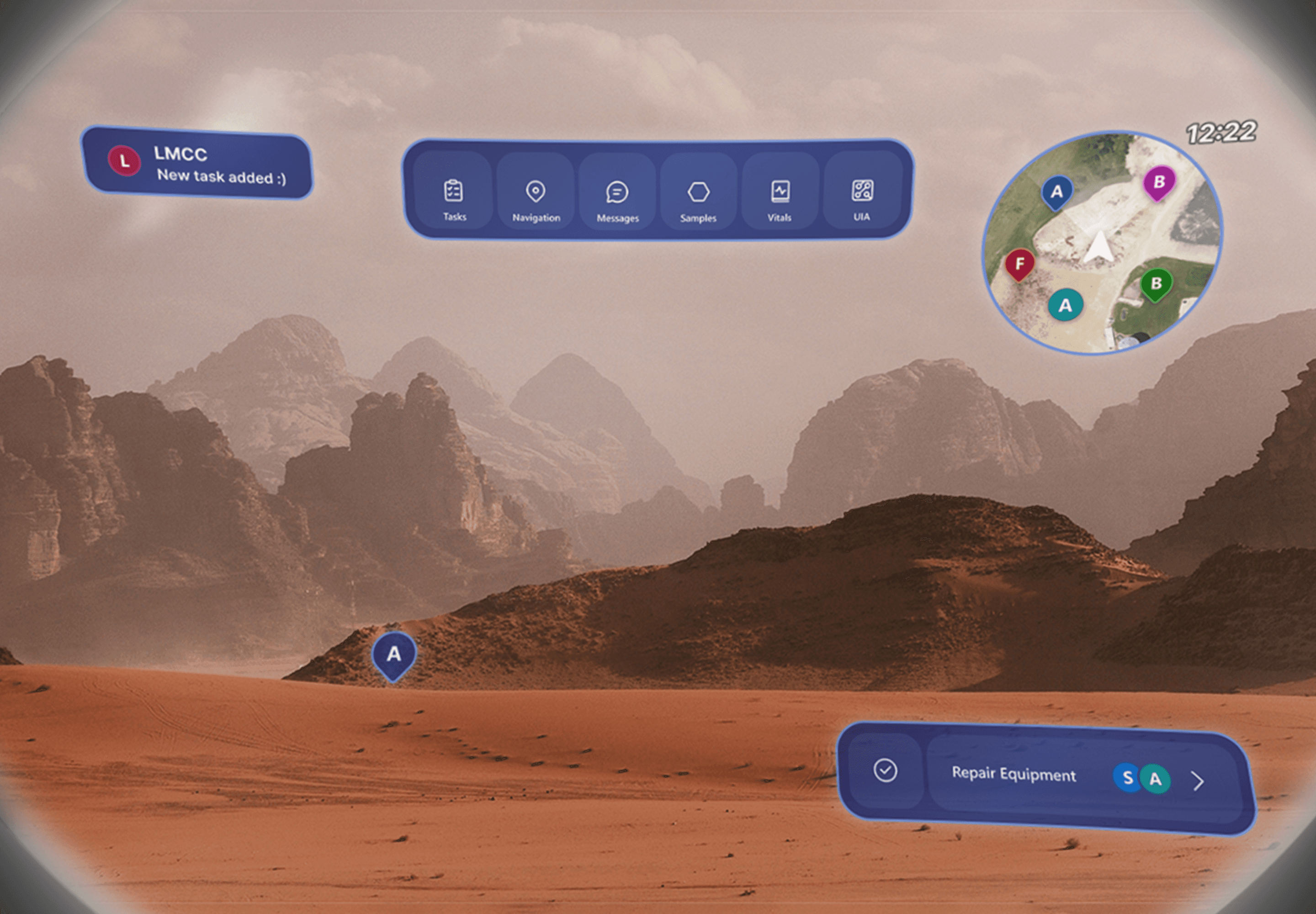
The IRIS augmented reality interface was designed to keep navigation, communication, science, and mission tools persistently accessible within the astronaut’s field of view while minimizing obstruction of the surrounding environment. This included a persistent main menu, compact notifications, a mini-map, and an in-view task widget positioned for quick interaction.
LMCC System Overview
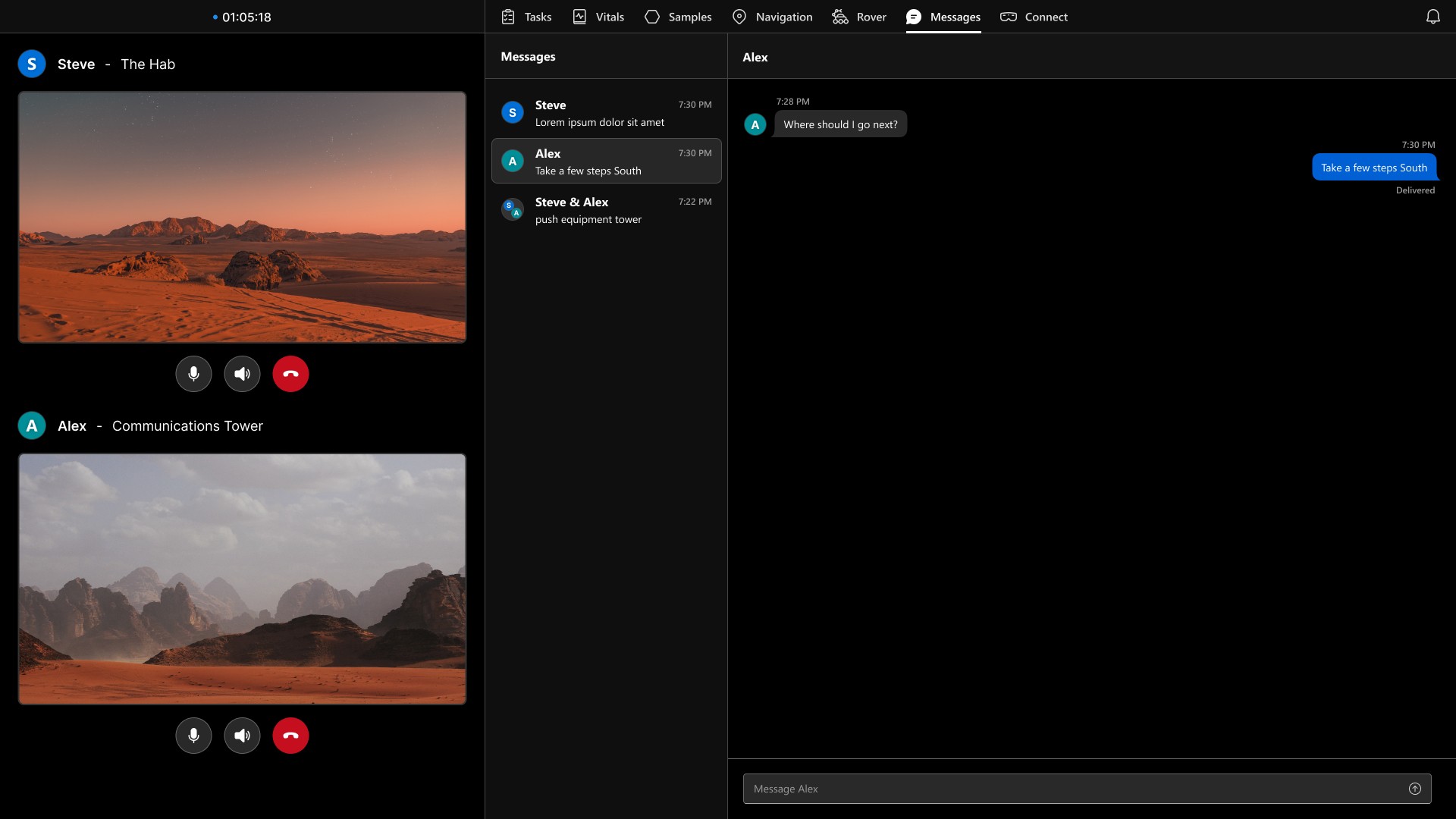
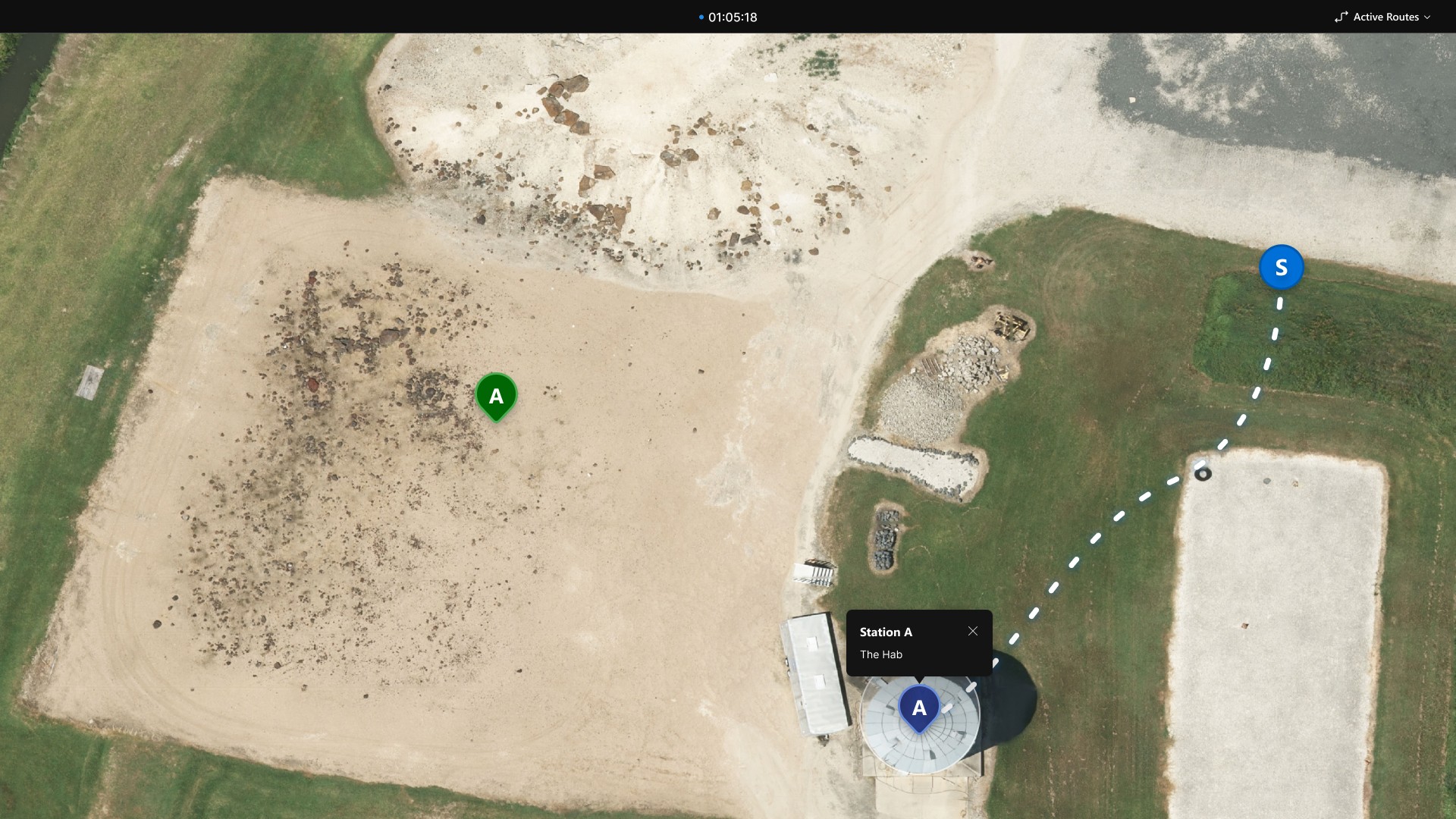
Supporting the headset experience was a directly connected Local Mission Control Center (LMCC), a companion web platform designed around a dual-monitor layout that allowed support teams to simultaneously monitor mission activity, astronaut telemetry, navigation data, and communications.
The system enabled mission control operators to coordinate workflows and provide real-time operational support throughout exploration tasks.
Tasklist
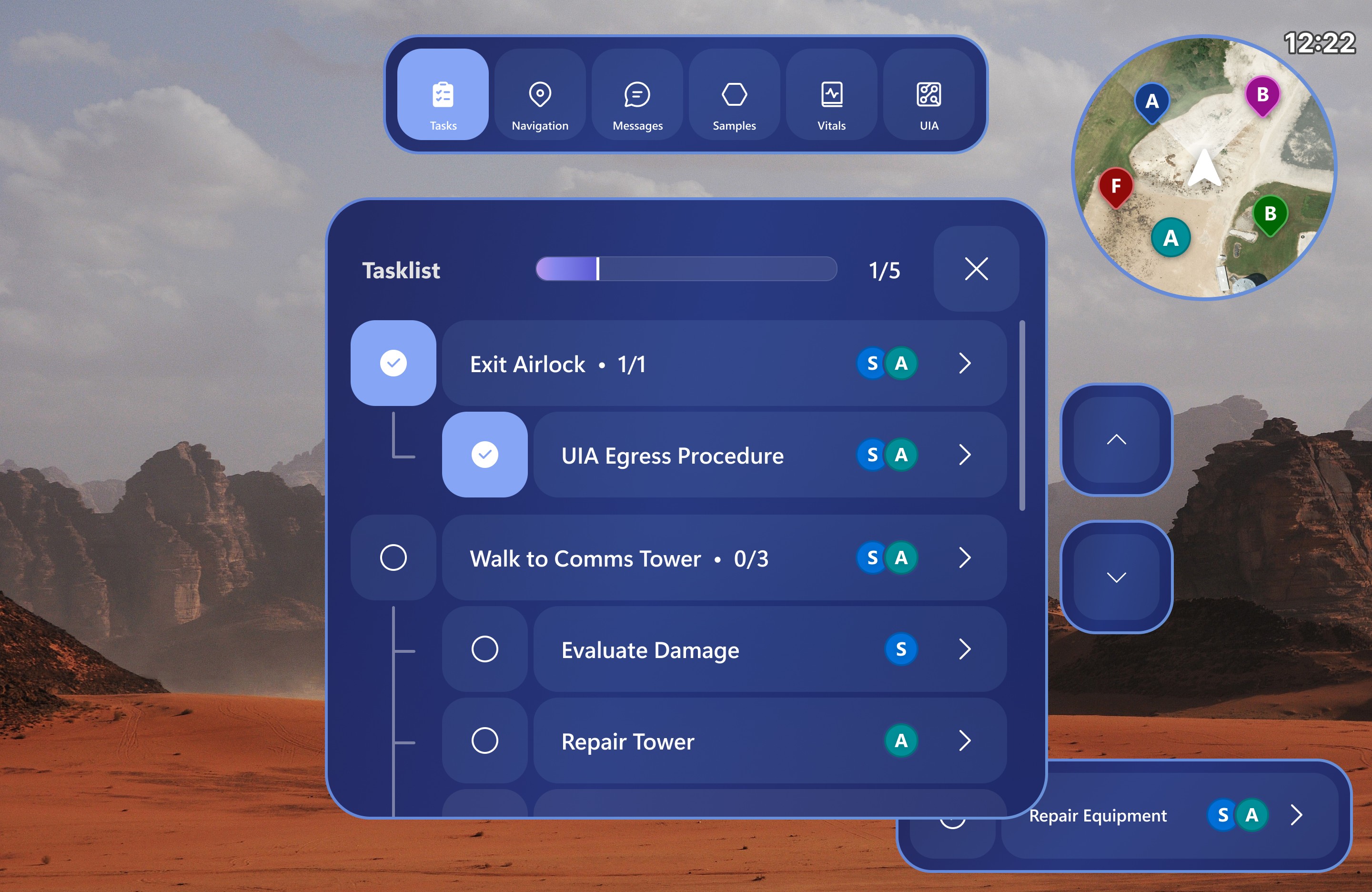
The astronaut tasklist was designed for rapid scanning during active mission workflows. Astronauts could quickly review active tasks and subtasks, while selecting an entry opened a more detailed pop-up view.
This progressive disclosure approach kept the interface lightweight and readable while accommodating the HoloLens’ large minimum button size requirements.
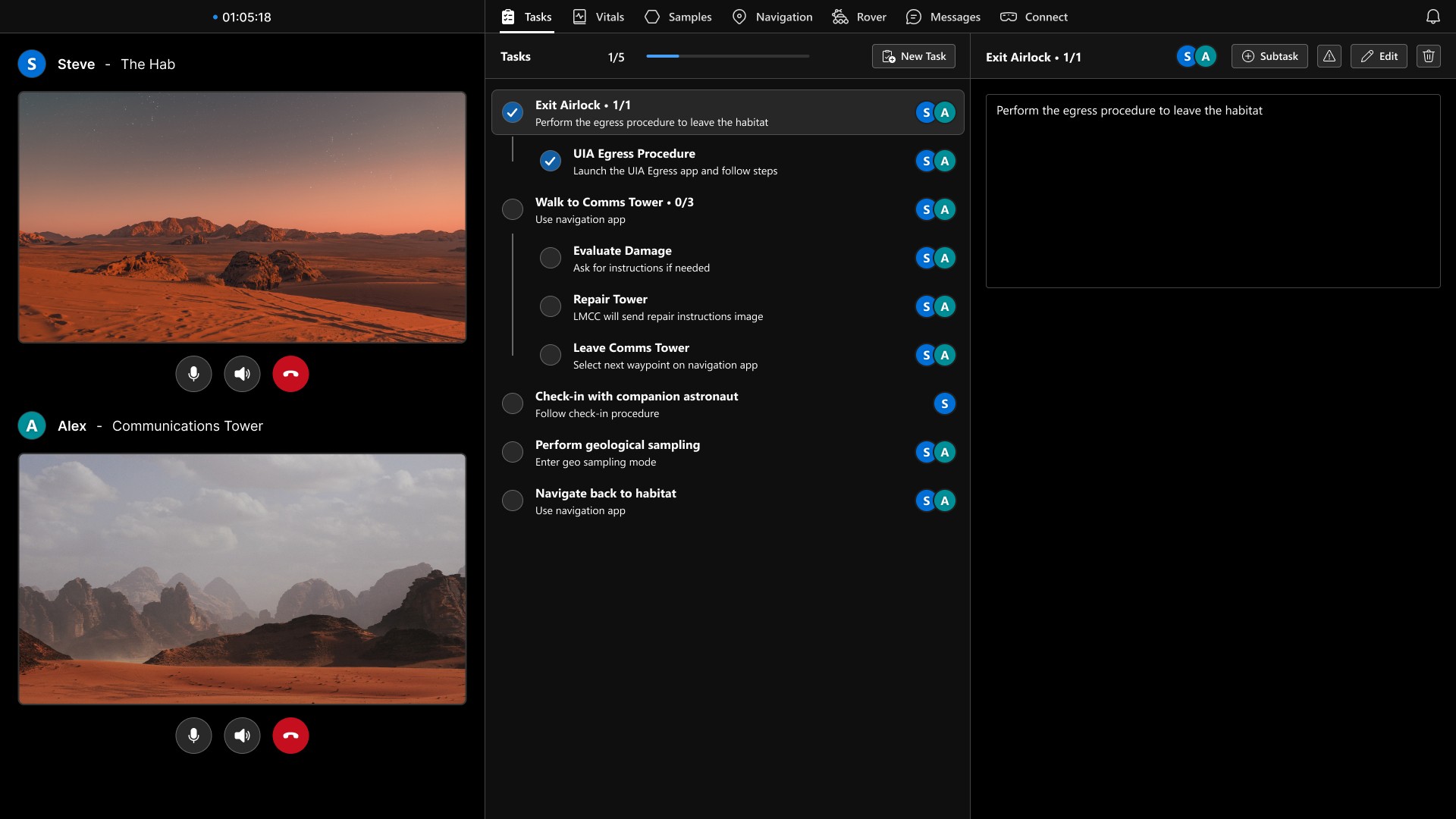
The LMCC tasklist view provided operators with a centralized overview of both astronauts’ active tasks and objectives. A two-column layout allowed detailed description to be viewed while supporting quick scanning across multiple workflows.
A persistent control bar grouped the task management tools together, enabling operators to create new tasks and edit or delete existing entries without disrupting active monitoring workflows.
Navigation
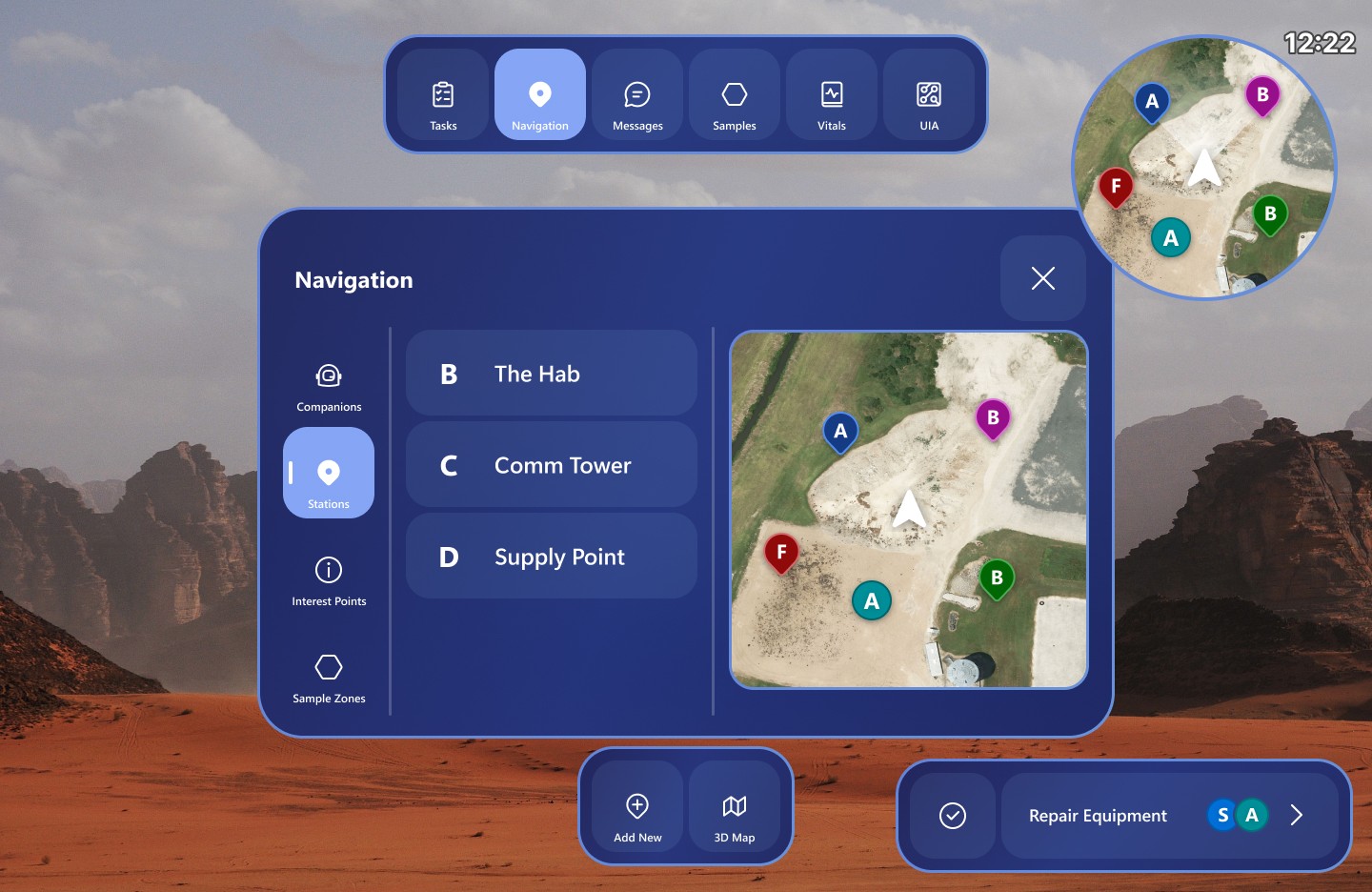
The astronaut navigation screen allowed users to view all available waypoints and companions within a large interactive map. Selecting a waypoint opened a route preview with navigation details before beginning traversal. The simple, category-based layout promotes quick scanning and input.
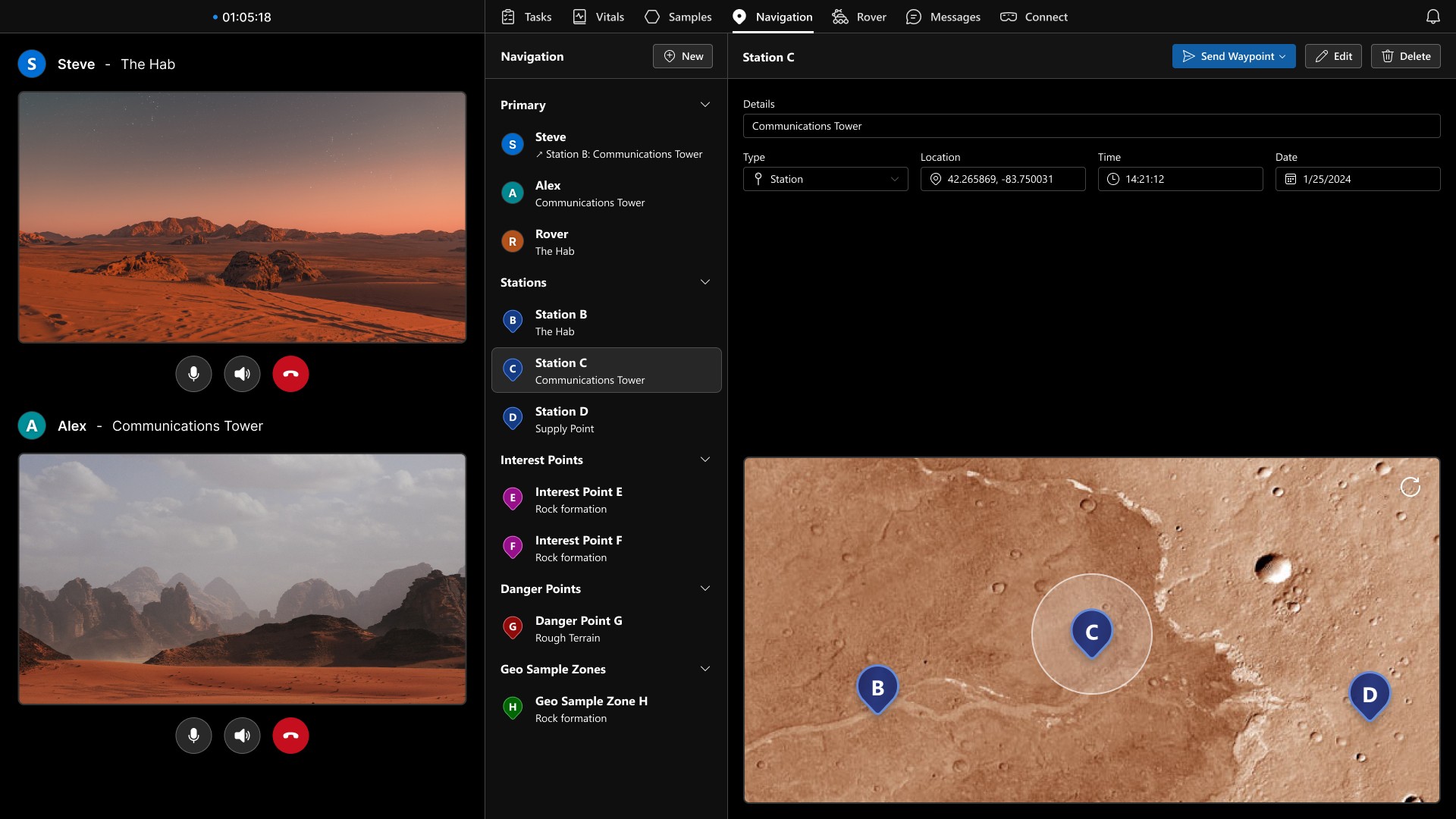
The LMCC navigation page provided operators with a centralized overview of all waypoints, companions, and navigation activity.
A list-based layout allowed waypoint details to be quickly reviewed within a dedicated details pane, while a persistent command bar grouped the controls for editing waypoint data and sending routes directly to the astronaut AR system.
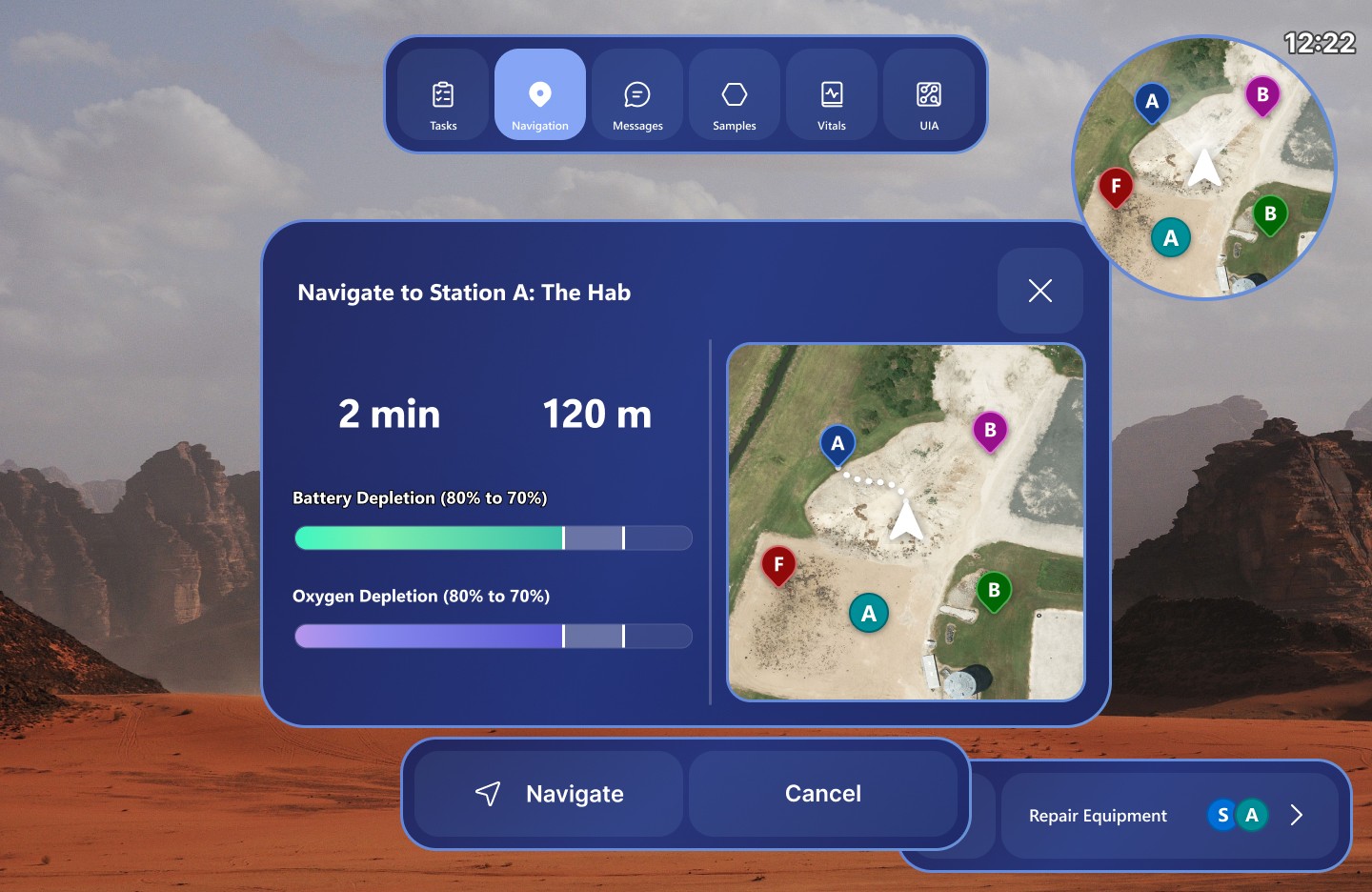
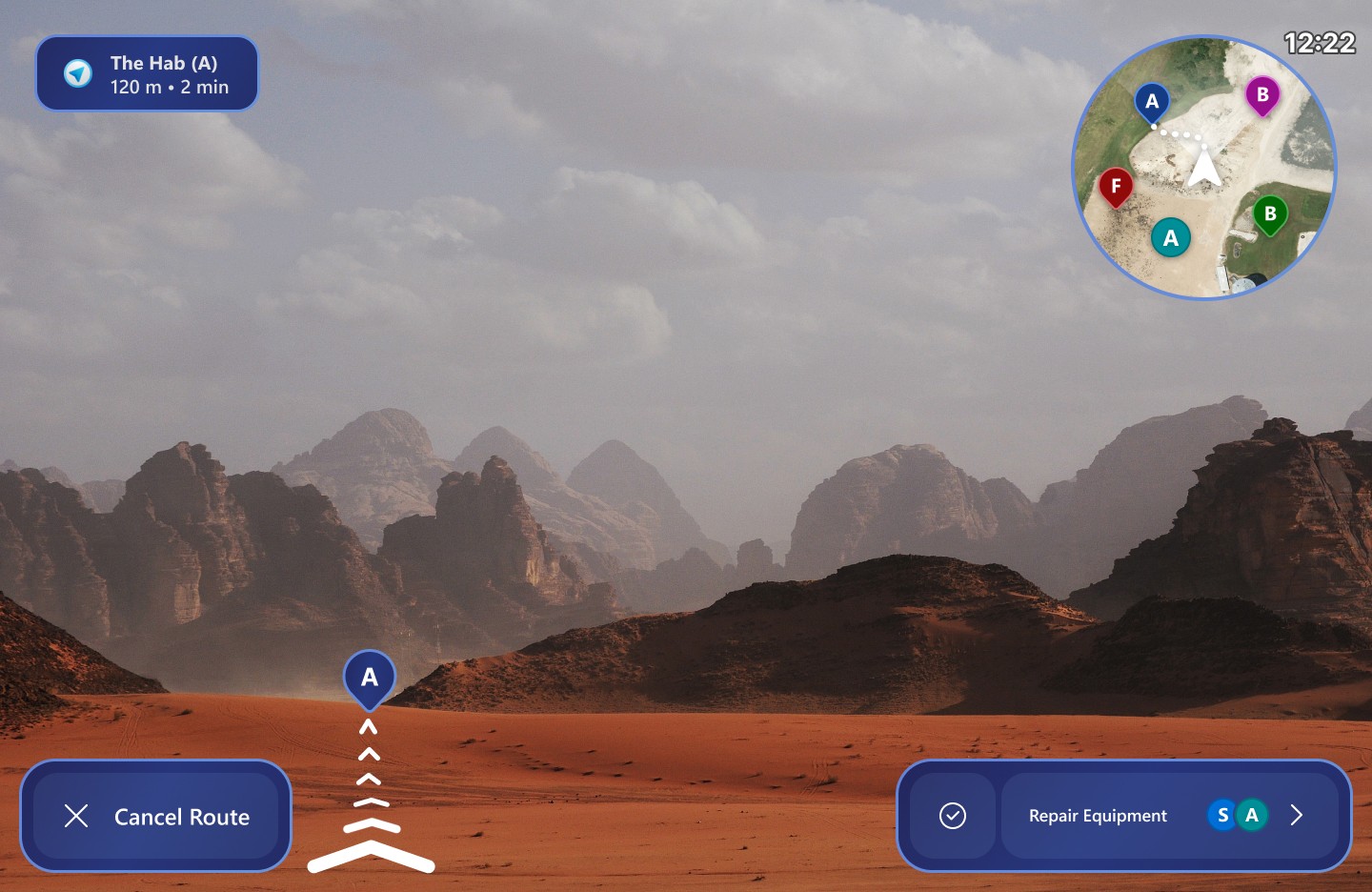
After selecting a waypoint, astronauts were presented with a route preview displaying estimated travel time, distance, and resource consumption information. These details helped astronauts evaluate whether a destination was safely reachable before beginning traversal.
Once navigation began, the interface shifted into a focused navigation mode that hid non-essential interface elements to preserve visibility of the surrounding terrain. Persistent route information remained accessible through a compact status panel, while arrow guides visually directed astronauts toward the selected waypoint.
Geological Sampling
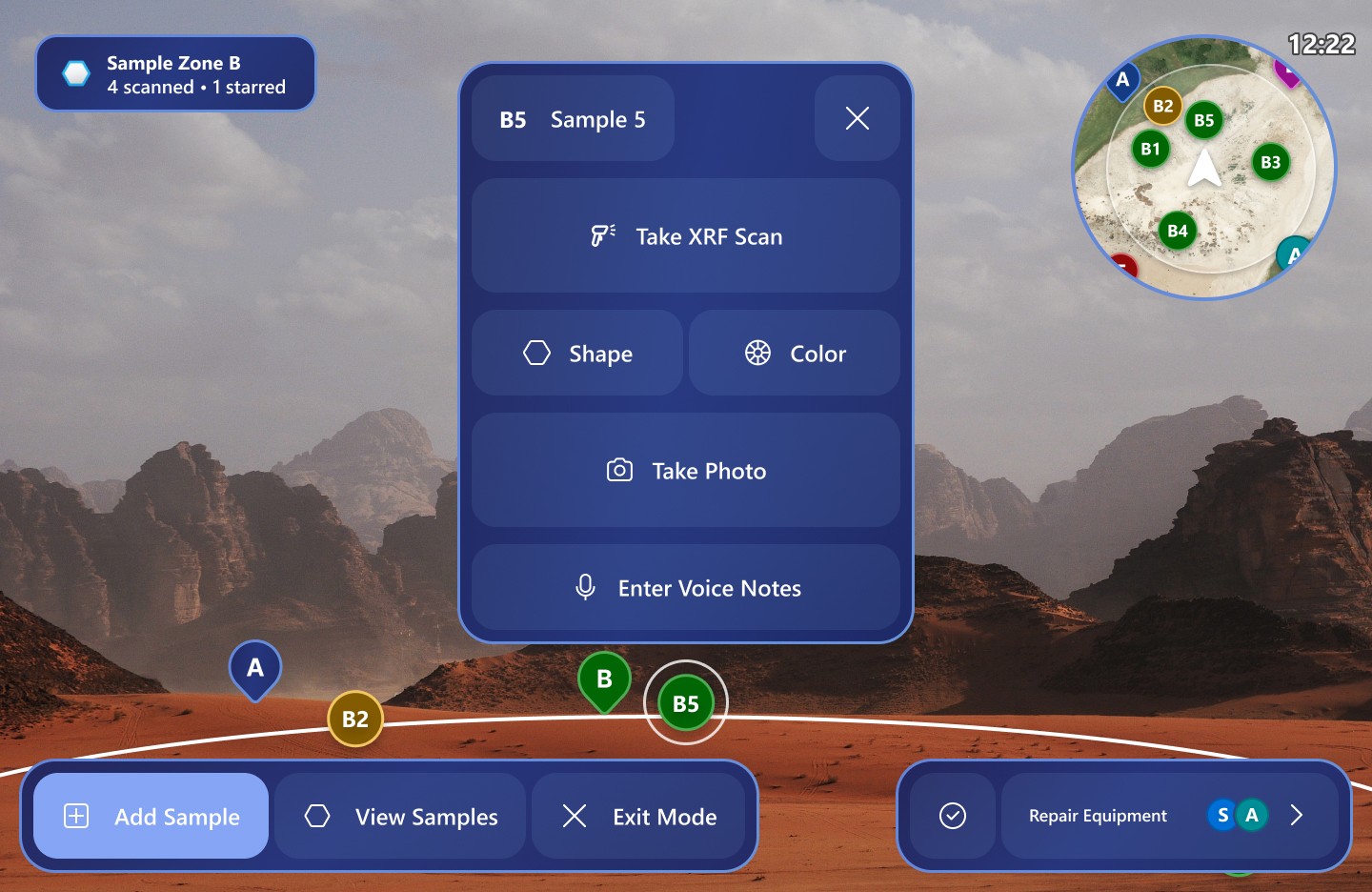
The geological sampling workflow supported sample identification, logging, and analysis during exploration tasks. Labels and interaction panels were spatially anchored to nearby samples, helping astronauts maintain environmental awareness while performing scientific analysis.
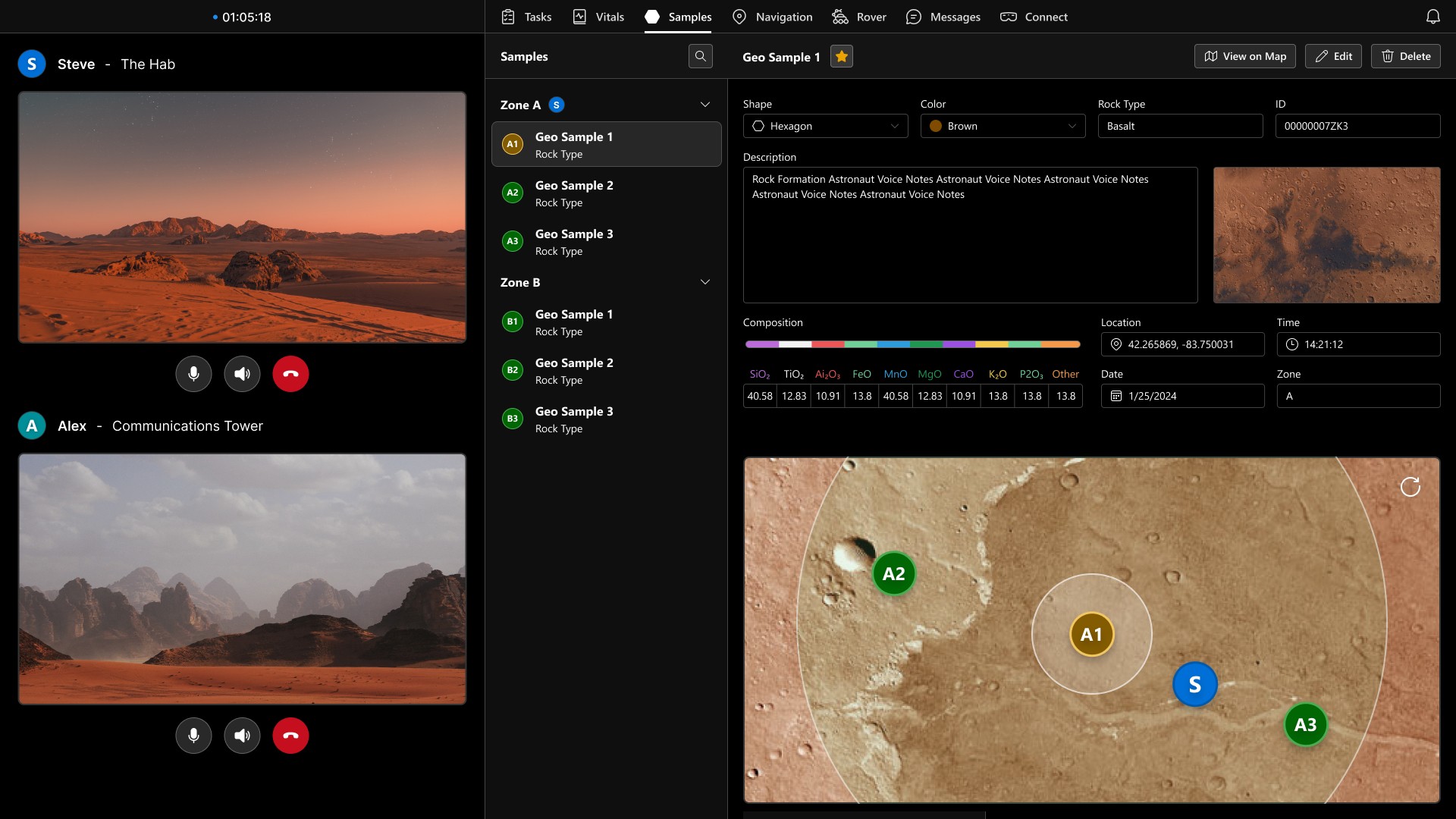
The LMCC sampling interface allowed mission control operators to monitor astronaut vitals, mission status, and geological sampling activity in real time.
Information was grouped into scannable sections that enabled operators to quickly reference incoming scientific data while continuing to coordinate navigation and communication workflows.
UIA Egress
The UIA egress workflow used large spatial arrows and overlays to guide astronauts toward the correct switches and controls during habitat exit procedures. If an incorrect action was performed, the system adapted in real time by providing updated instructions to correct the mistake and continue the workflow safely.
Compared to previous text-only instruction systems used in past CLAWS applications, the spatial guidance approach created a more intuitive and immersive workflow.
Voice Assistant AI
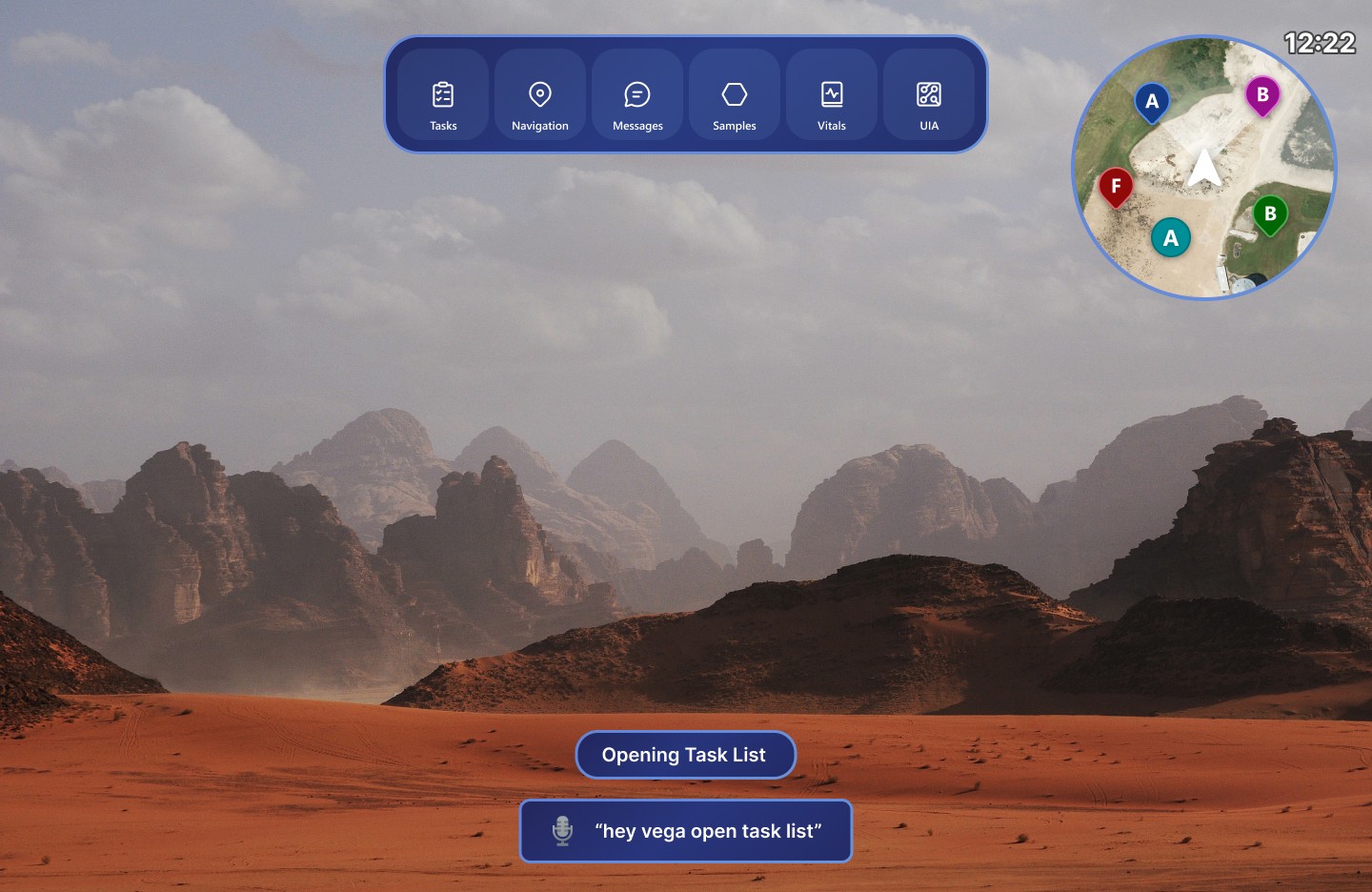
The system included VEGA (Voice Entity for Guiding Astronauts), a voice assistant that enabled astronauts to navigate interface panels, trigger actions, and retrieve information through hands-free voice commands.
Voice interaction acted as a secondary input method alongside direct touch controls, allowing the interface to remain usable during multitasking or hand-tracking failure scenarios. To improve discoverability, compatible controls included visible voice command labels directly within the interface.
Design Process
/ 4
Sketches and Low Fidelity
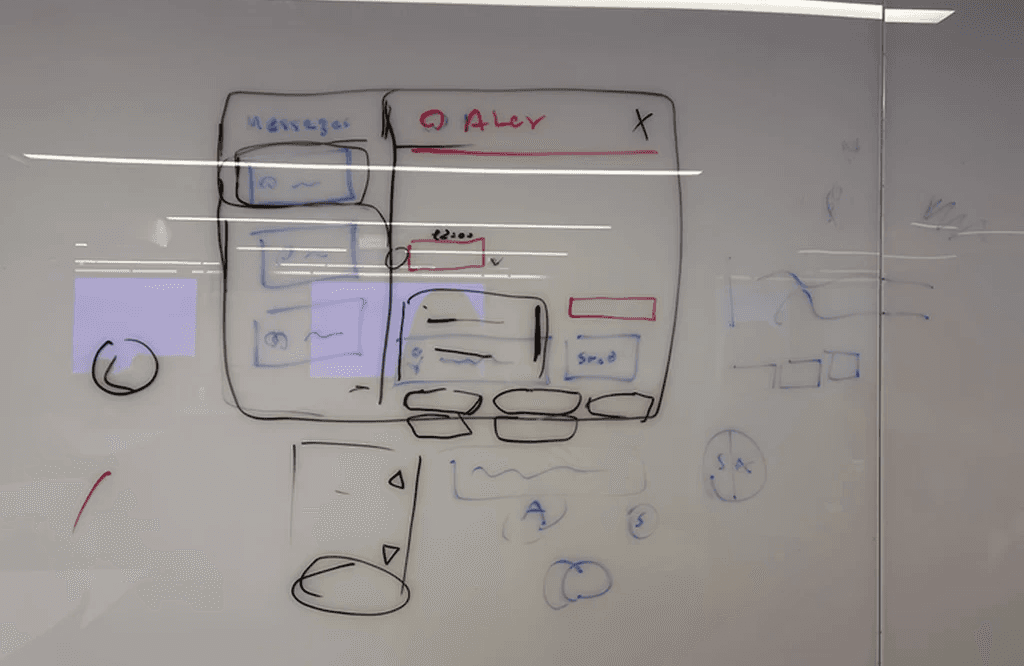
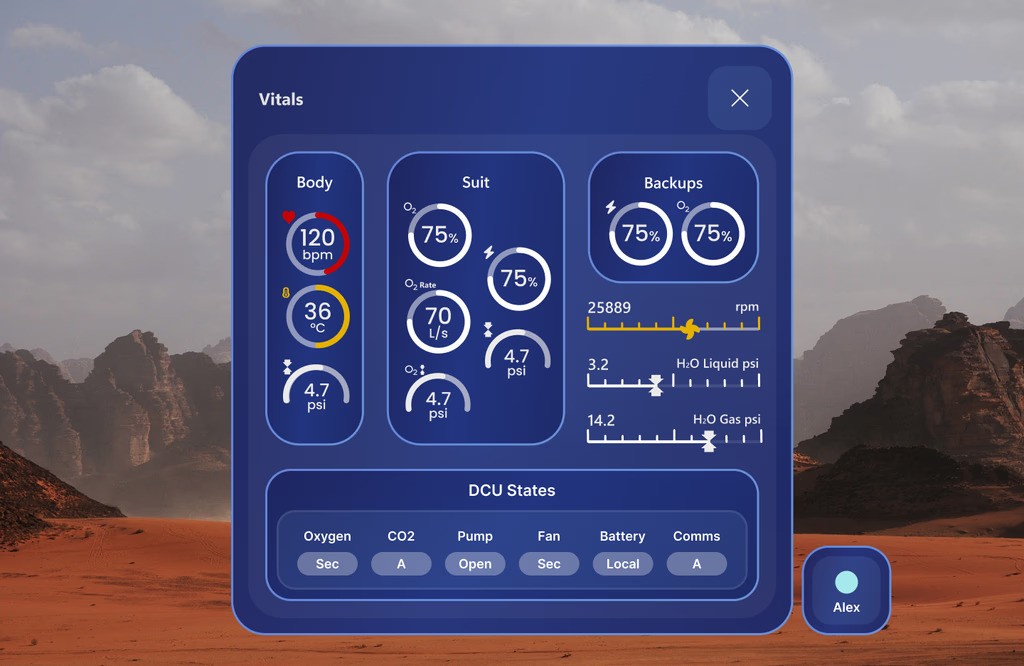
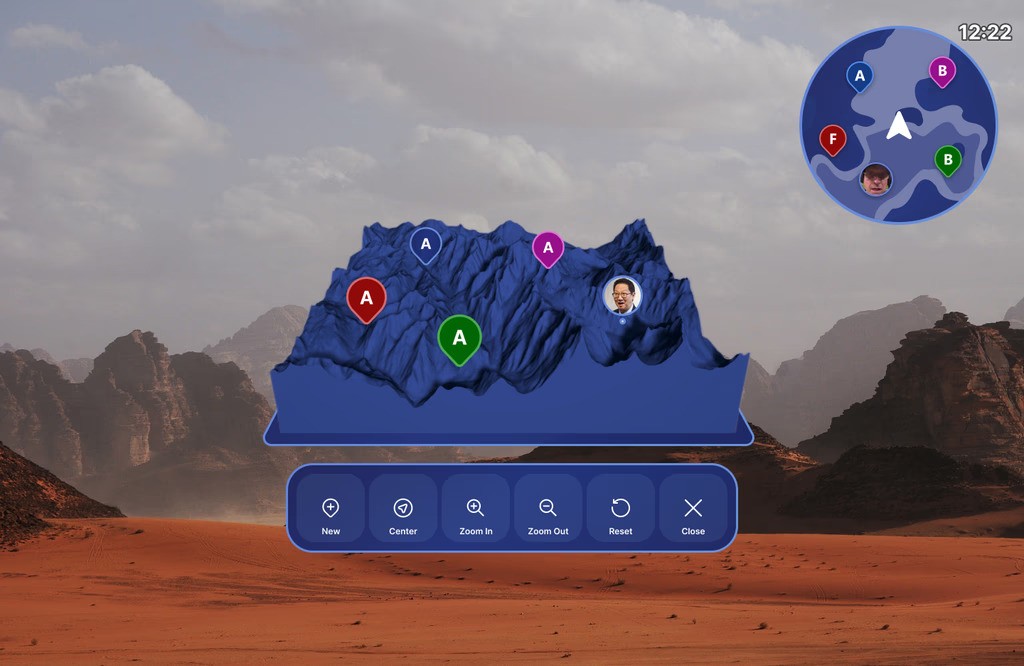
The design process involved extensive iteration across both interaction flows and interface layouts.
The team explored:
HUD positioning concepts
Panel hierarchy systems
Navigation structures
Voice interaction flows
Mission control dashboards
Multi-window information layouts
Design concepts were initially explored in low fidelity before being refined into higher-fidelity prototypes in Figma.
Unlike traditional 2D software, AR interfaces are difficult to prototype and test entirely within design tools because spatial layouts and interactions must ultimately be experienced on-device through the HoloLens. To support iterative testing, developers created simple functional prototypes that allowed the UX team to evaluate interaction patterns, interface placement, and user flows directly within the AR environment.
Throughout the process, designs were continuously revised based on:
Developer feedback
Technical feasibility
HoloLens platform limitations
User testing observations
NASA mission requirements
Cross-Team Collaboration
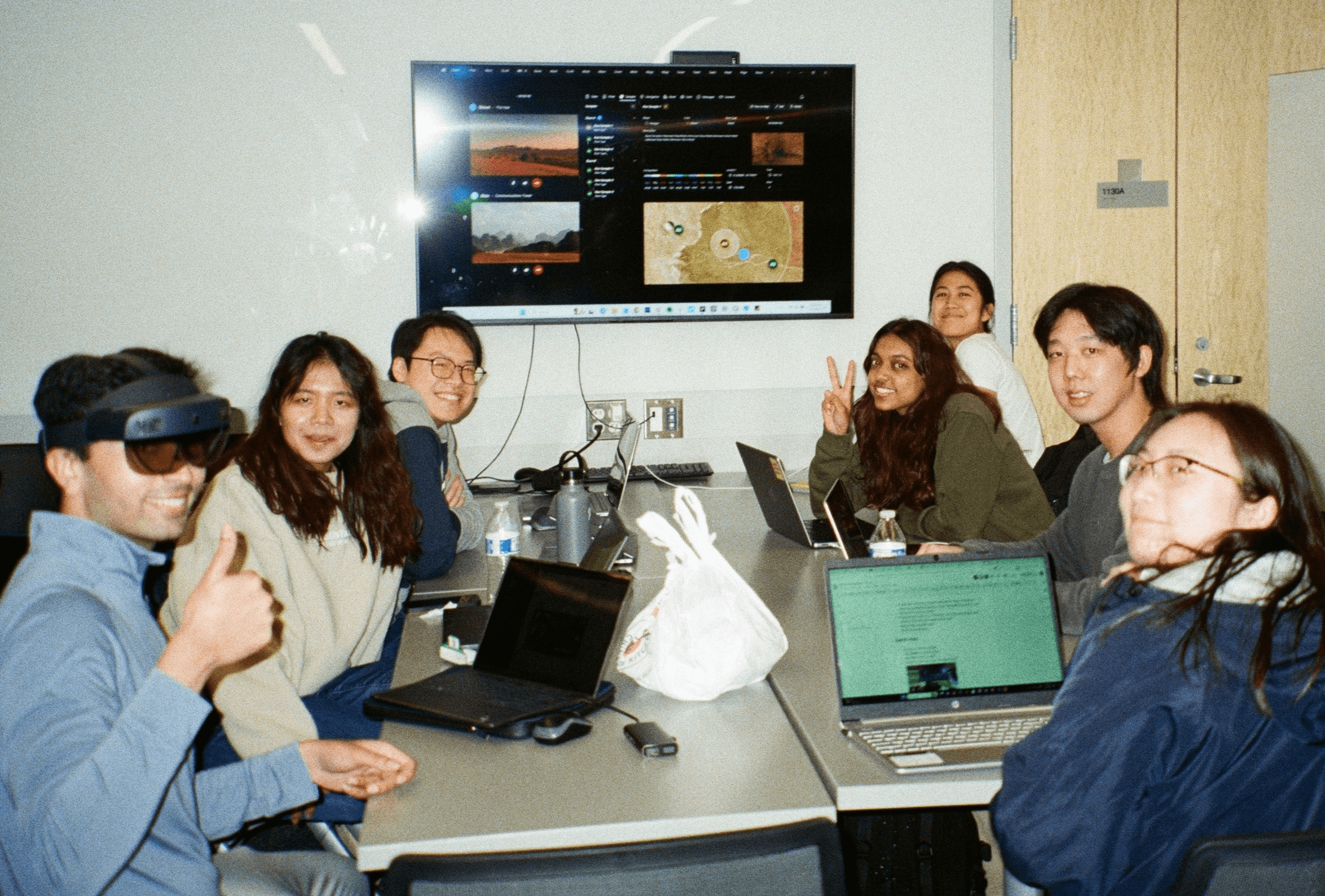
Because the project involved multiple technical subteams, collaboration was central to the workflow.
I worked closely with:
AR developers implementing spatial interfaces
Web developers building the LMCC platform
AI developers working on VEGA voice interactions
Researchers validating mission workflows
Team leadership coordinating NASA deliverables
This collaboration helped ensure designs remained realistic, implementable, and aligned with project goals.
Testing Process
The team conducted testing focused on astronaut mission workflows and interface usability. The testing structure was inspired by evaluation procedures recommended and used by NASA throughout the SUITS Challenge process, helping align the experience more closely with realistic mission scenarios and review criteria.
Testing evaluated:
Navigation speed
Task completion efficiency
Readability in simulated mission environments
Voice command discoverability
Interaction reliability
Cognitive load during multitasking
Findings from testing informed refinements to layout structure, panel organization, and interaction feedback.
Design Systems
/ 5
AR
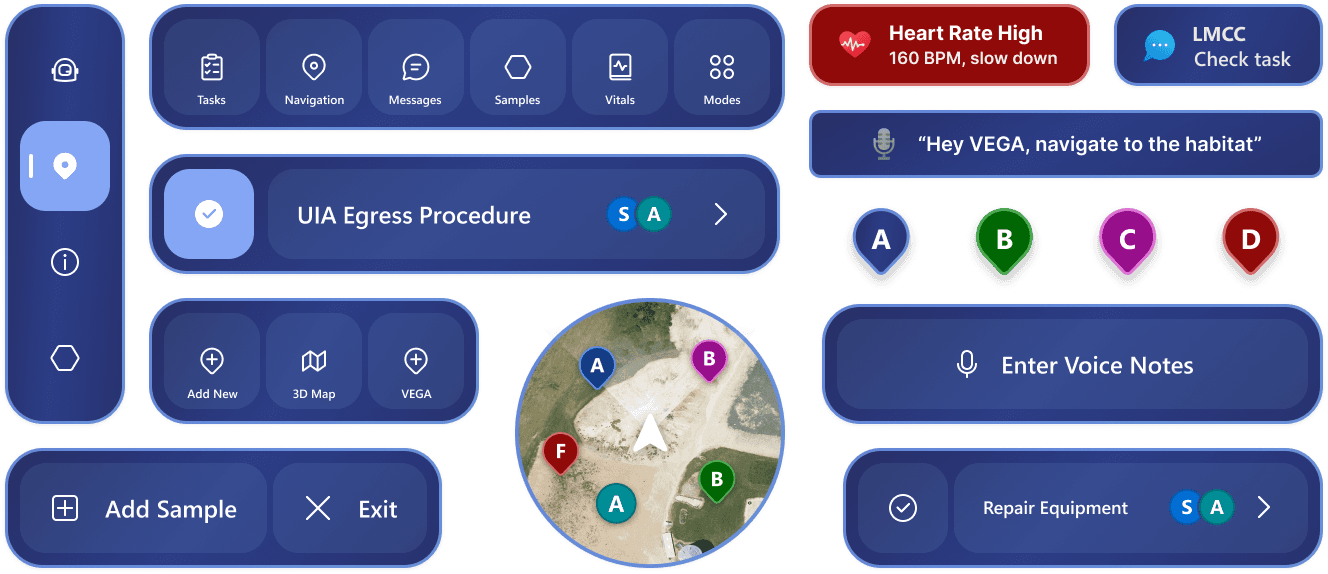
The AR design system was built on Microsoft’s MRTK3 (Mixed Reality Toolkit 3), with custom additions and modifications to better support the project’s interaction requirements. These changes included a custom text label system and adjusted button alignment patterns.
LMCC
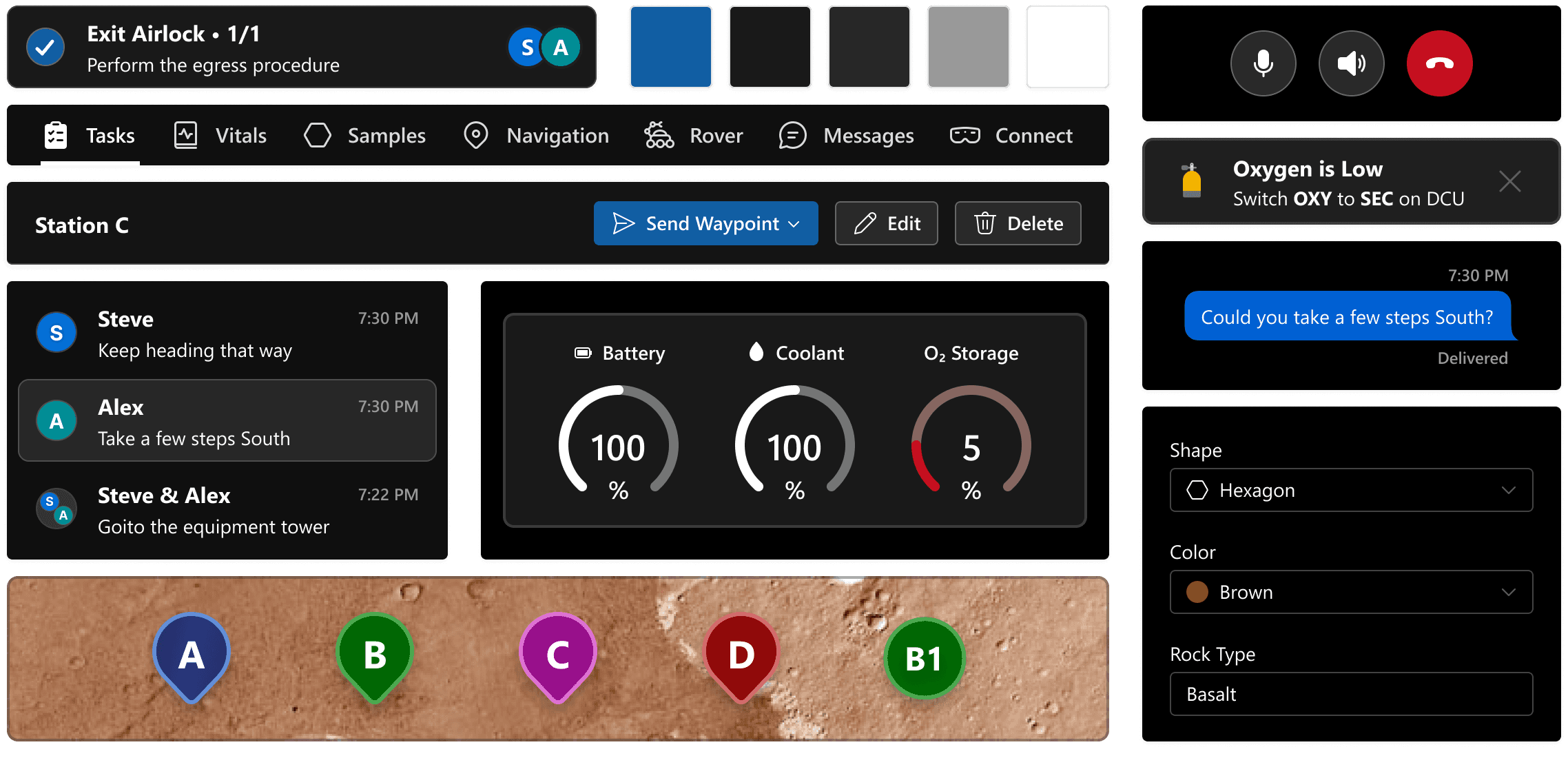
The LMCC design system was built on Microsoft’s Fluent Design System, with components modified to support mission-control workflows and information-density requirements. The team also created custom elements such as the sidebar list and command bar, which were used across most of the platform.
Outcome
/ 6
Final Presentation and Testing
In May 2024, the team travelled to NASA Johnson Space Center in Houston to test and present IRIS during SUITS Test Week.
The application was evaluated by NASA engineers and design reviewers through a series of simulated Mars mission tasks conducted in the Johnson Space Center Rock Yard.
I guided evaluators through the system’s interaction model and design decisions while helping support live mission testing.
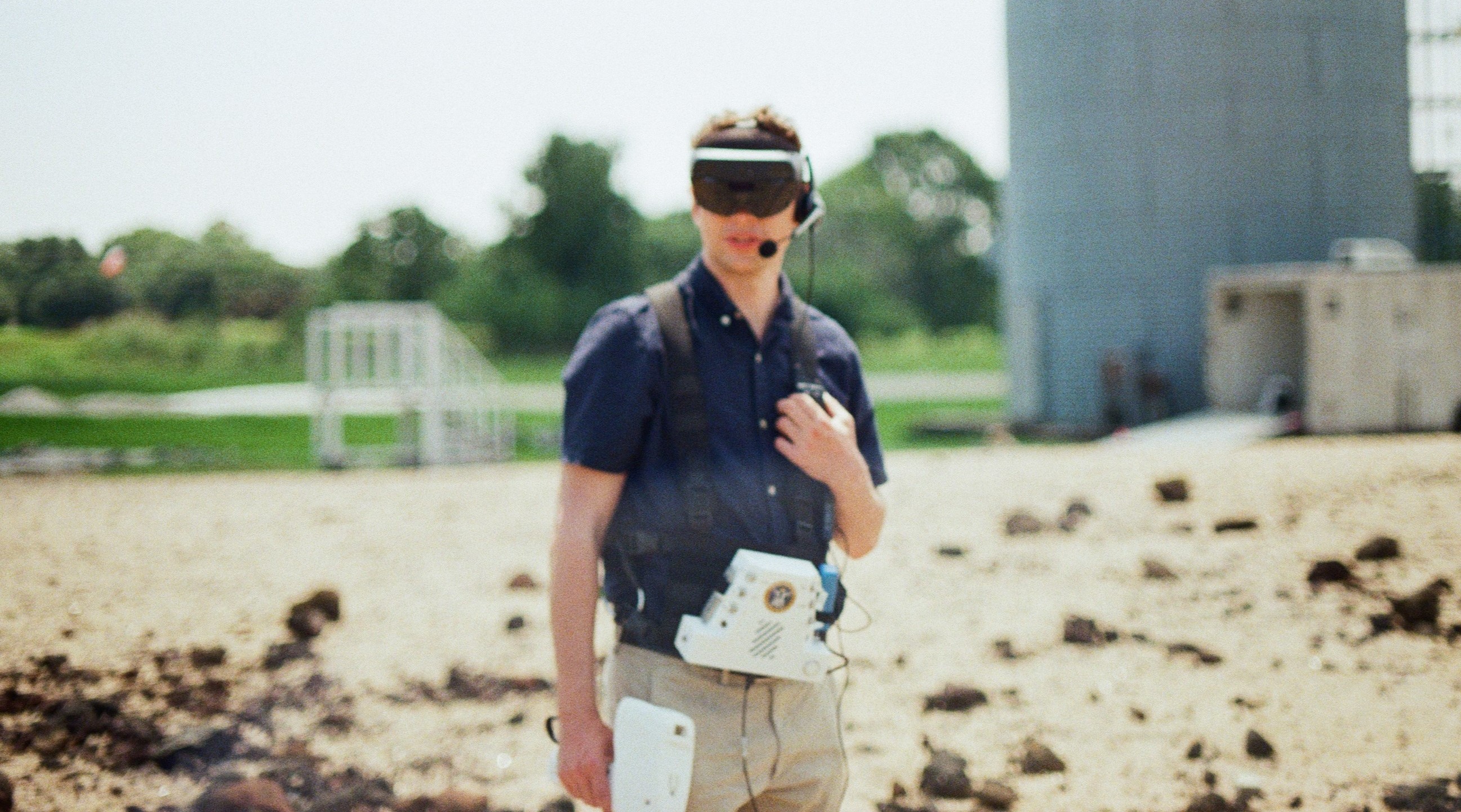
NASA evaluator testing the IRIS application at the JSC Rockyard
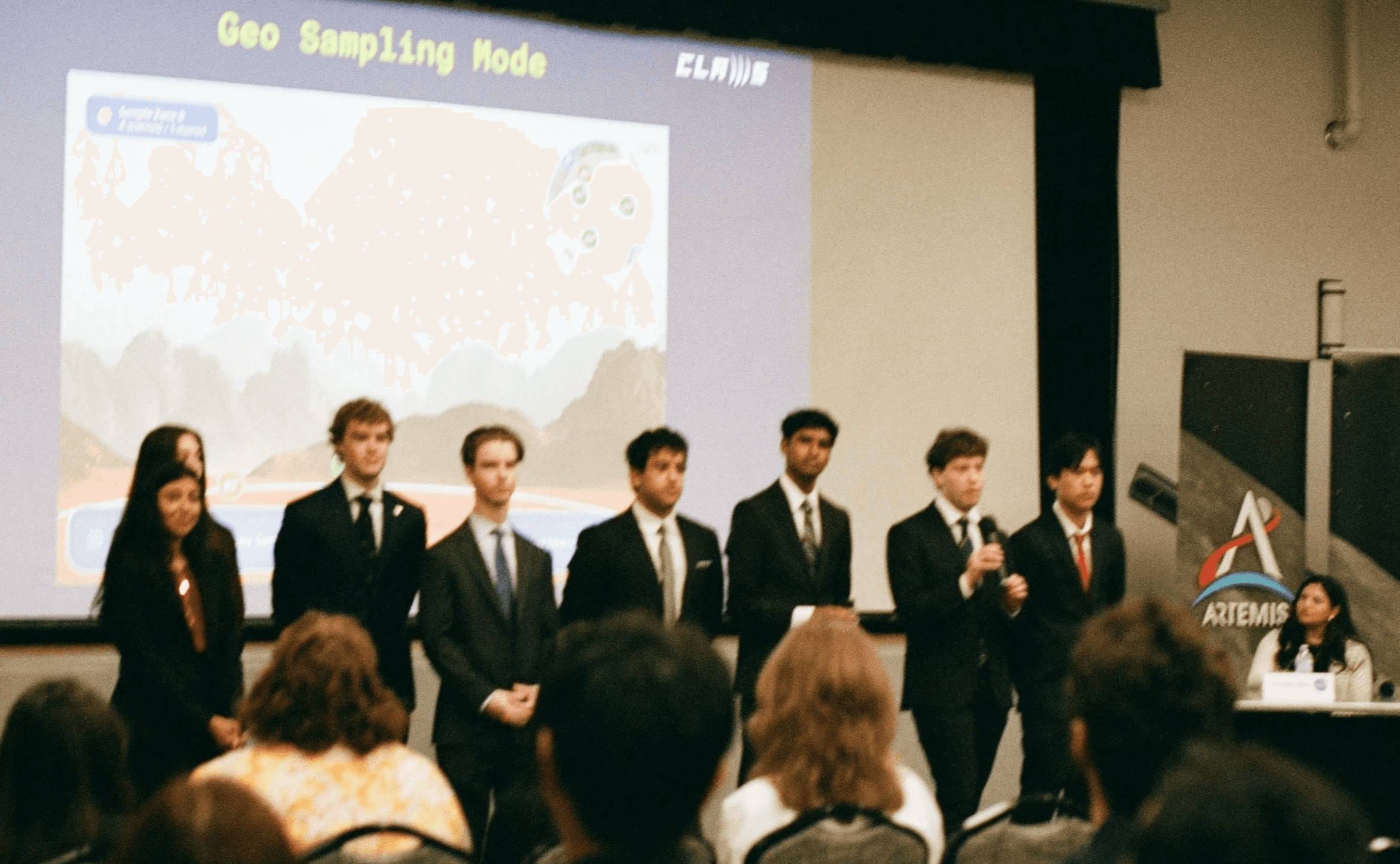
Presenting IRIS to NASA Panel and other SUITS Teams
Impact
The project strengthened my experience leading complex UX systems across emerging technologies and multidisciplinary teams.
Key takeaways included:
Designing for high-risk, information-dense environments
Building systems that balance flexibility with simplicity
Leading collaborative design workflows at large scale
Adapting UX principles for mixed reality interaction
Designing under technical and operational constraints
Following the successful completion of the project, I was selected to serve as the President and Project Manager for CLAWS during the following academic year.
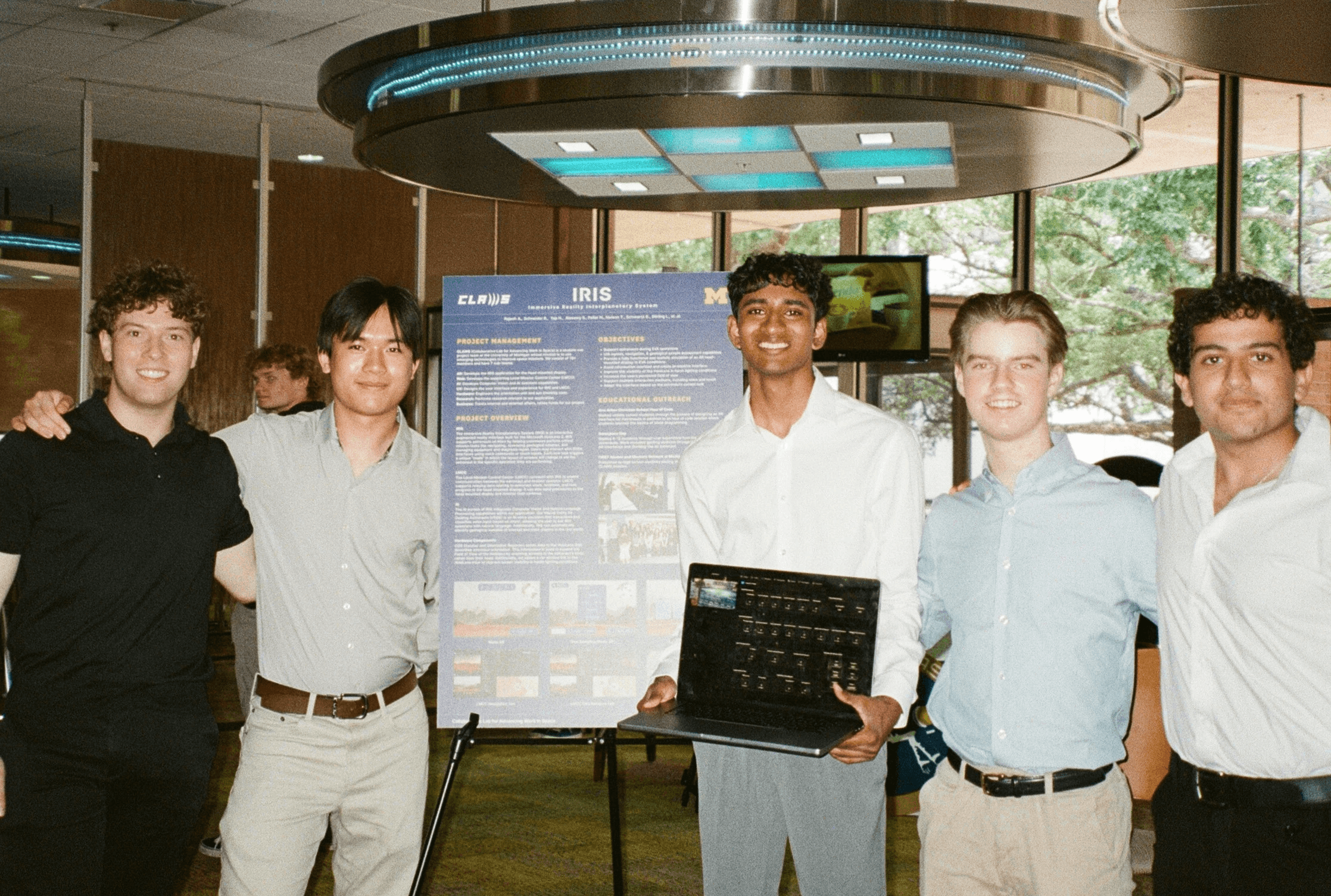
Poster Presentation to NASA Engineers at the JSC Cafeteria
Reflection
IRIS pushed me to think beyond traditional interface design and focus on how UX systems operate within physical, spatial, and mission-critical environments.
The project reinforced the importance of:
Clear information hierarchy
Cross-disciplinary collaboration
Constraint-driven design decisions
Iterative testing and refinement
Designing for reliability under pressure
It remains one of the most technically and organizationally complex design projects I’ve worked on.
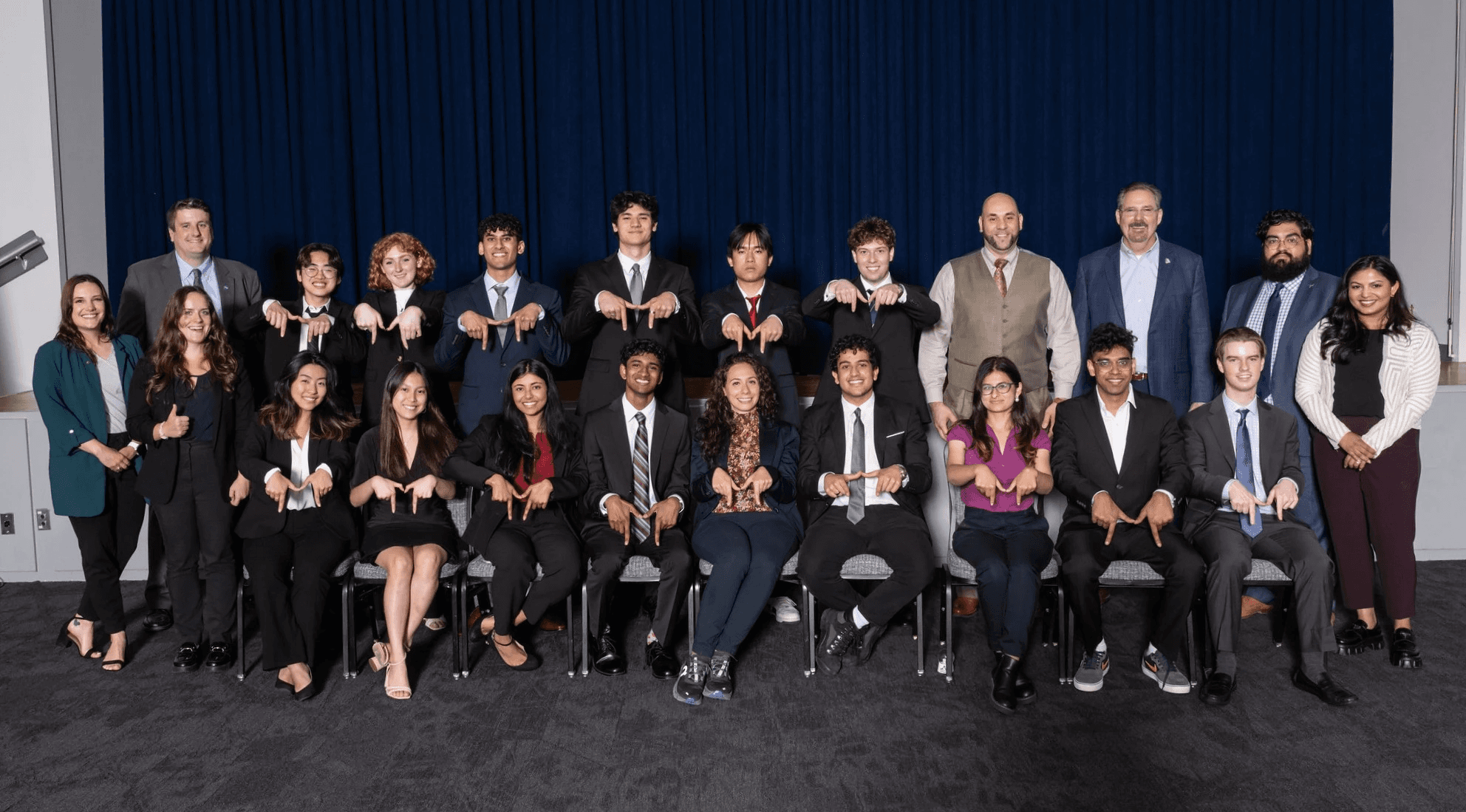
CLAWS Team Photo at Test Week (Credit: NASA JSC STEM Office)